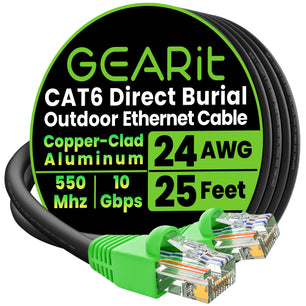


If you remember one number, make it this: standard copper Ethernet channels top out at 100 meters (328 feet) end to end. That channel includes the short patch cords at both ends plus any in‑wall cabling. Near or past that distance, add an active hop or change media for reliable performance. For choosing cable category by speed, see Cat6 vs Cat6a vs Cat8.
Quick answers
- Maximum copper Ethernet length: 100 m (328 ft) per channel for Cat5e/Cat6/Cat6a under typical conditions.
- Patch cords count toward 100 m: Your short jumpers are part of the same 100 m budget.
- Need to go past 100 m? Add a mid‑span switch, use a PoE extender, repurpose coax/2‑wire with Ethernet extenders, or convert to fiber.
- 10GbE over copper: Cat6a supports 10GbE to 100 m; Cat6 usually supports 10GbE only on shorter links (often up to ~55 m). For planning, see Cat6 vs Cat6a vs Cat8.
Patch cable vs permanent link: what actually counts?
Your end‑to‑end channel is typically: switch/router port → patch cord → wall jack → in‑wall cable → patch panel → patch cord → device. All segments combined must stay at or under 100 m. If you’re tight on budget, trim patch lengths at the rack and desk and avoid unnecessary slack. For project budgeting and make‑vs‑buy decisions, see Bulk Cable vs Pre‑Made Patch.
How short is too short for a patch cable?
Modern switches and NICs handle very short jumpers without issue as long as terminations are sound and the total channel remains within 100 m. For desks and racks where frequent moves and tight routing are common, a flexible snagless jumper reduces strain on ports. Color‑coding also speeds troubleshooting. Examples:
- Flexible, soft‑tab jumper for tight spaces or laptops on a dock: Cat6 soft‑boot stranded patch cable (yellow).
- Neutral look for offices and open racks: Cat6 soft‑boot stranded patch cable (white).
- General purpose jumper with classic snagless boot: Cat6 snagless patch cable (black).
Calculate your channel length (and how much margin you have)
Keep a simple worksheet: measure the in‑wall run, then add both patch cords. Example: 88 m in‑wall + 2 m at the rack + 3 m at the desk = 93 m total. You’ve got 7 m of headroom. If your in‑wall run is already ~95 m, swap to 1 m patch cords on both ends or plan an extension strategy below. For a bigger planning overview by speed and environment, see Ethernet & Networking Buying Basics.
When you’re nearing 100 meters: smart ways to extend
Choose an extension method based on power, environment, and throughput targets. The options below are proven, standards‑friendly ways to push past 100 m. If powering cameras or access points, map distance and wattage using PoE and PoE+: Cable Gauge and Distance Planning.
1) Add a switch (acts as a repeater)
Placing an unmanaged or lightly managed switch roughly mid‑span regenerates the signal and gives you another 100 m segment. This is straightforward for corridors, office floors, and open warehouses where AC power is available. If you need power at the edge, pick a PoE switch with the right budget and class.
2) Use PoE extenders for powered endpoints
Inline PoE extenders lengthen both data and power to IP cameras and APs without adding a full switch—useful on poles or ceilings where you lack mains power. Some models support chaining; verify total power budget, device class, and cable gauge against your distance using the planning guide linked above.
3) Ethernet extenders over existing cable types
Ethernet‑over‑coax or 2‑wire kits can reuse legacy cabling and often reach well beyond 100 m when rewiring isn’t practical. Throughput varies with medium quality and device capabilities; they’re convenient for retrofit jobs in older buildings.
4) Convert to fiber for long or EMI‑heavy paths
Media converters or fiber‑capable switches let you run multimode fiber for hundreds of meters or single‑mode for kilometers. This is clean for building‑to‑building links or electrically noisy spaces. If the endpoint needs power, convert back to copper at the far end and inject PoE locally.
Distance strategy at a glance
Use this matrix to match your scenario with an extension method.
| Scenario | Typical Max Distance | Power to Device | Pros | Tradeoffs |
|---|---|---|---|---|
| Mid‑span switch (copper) | ~200 m split into two compliant 100 m channels | Yes, if PoE switch | Low cost, simple | Needs AC power mid‑run |
| Inline PoE extender(s) | 100 m + extender hops (validate power budget) | Yes | No AC at extender, quick install | Mind load/class and copper loss |
| Ethernet extenders (coax/2‑wire) | Often 300 m+ (model/cable dependent) | Some support PoE passthrough | Reuses existing cable | Throughput varies with medium/noise |
| Fiber with media converters | 300–400 m (multimode) to km+ (single‑mode) | PoE added after copper handoff | Very long reach, EMI‑immune | Optics/termination add cost and skill |
Choosing cable category by speed and distance
All twisted‑pair categories share the 100 m ceiling, but sustained speed at that distance differs. If you’re targeting multi‑gig or 10GbE, plan category and length together. For tradeoffs across 1G/2.5G/5G/10G and the realities of Cat6 vs Cat6a vs Cat8, see Cat6 vs Cat6a vs Cat8.
For short jumpers where flexibility protects ports and helps manage tight paths, consider color‑coding or length‑coding. Helpful options include Cat6 soft‑boot stranded patch cable (black), Cat6 soft‑boot stranded patch cable (green), and for legacy or low‑power devices, a Cat5e snagless patch cable.
Indoor vs outdoor in the U.S.
Outdoor copper runs (for example, house to detached garage) still follow the 328‑ft/100‑m channel limit. Use weather‑rated enclosures, proper grounding/surge protection, drip loops, and conduit where appropriate. If you must exceed 100 m outdoors, either place a mid‑span switch in a NEMA‑rated enclosure with power, or convert to fiber between buildings. For jacket choice and route planning, see Outdoor Ethernet: Direct‑Burial vs UV‑Resistant Jackets and When to Use Each and Weather, Water, and Conduit: Best Practices for Outdoor Installs.
Stranded vs solid, flat vs round: what changes with distance?
- Stranded patch cords are built for flexibility at desks and racks; use them as short jumpers inside the same 100 m channel.
- Solid conductors are intended for permanent in‑wall runs; they maintain performance over distance but aren’t ideal for frequent moves. If you’re weighing DIY termination versus factory‑finished cords, start with Bulk Cable vs Pre‑Made Patch.
- Flat vs round affects bend radius and routing options (under carpet, tight conduits), not the 100 m rule. For routing trade‑offs, see Flat vs Round Ethernet.
- Interference considerations: In electrically noisy areas or for long PoE runs, shielding and conductor gauge can increase margin. See Shielded vs Unshielded and, for harsher sites, Industrial Ethernet Quick Start.
Real‑world scenarios (United States)
- House to backyard AP (75–120 m): Under 100 m, run Cat6 with short jumpers and power via PoE from a switch or injector. If the measured path exceeds 100 m, add a PoE extender or jump to fiber. For power math, use PoE gauge and distance planning.
- Office floor (90–110 m): If distant cubicles push you over budget, place an intermediate switch in a hallway closet to split the link into two compliant channels.
- Warehouse camera (150 m, limited power): Use a PoE extender chain when AC power isn’t available mid‑span, or run fiber to a small pole cabinet and convert back to copper with PoE at the edge. In noisy areas, evaluate shielding as discussed above.
Helpful add‑ons and when to use them
- Patch panels and short jumpers make channels easier to document and troubleshoot; they don’t change the 100 m ceiling. For cost planning, see Bulk Cable vs Pre‑Made Patch.
- Shielding and conductor gauge can increase margin in EMI‑heavy areas and with high‑power PoE. For home setups, see Shielded vs Unshielded.
- Troubleshooting tools such as cable testers and PoE meters help confirm whether distance or power is the culprit. For step‑by‑step checks, see Troubleshooting Guide: Common Ethernet Failures and How to Test.
Choosing a reliable patch cable
Focus on pure copper conductors (not CCA), consistent terminations, and snagless or soft‑tab boots to protect ports. Keep bends gentle and use the shortest practical length to preserve channel margin. For tidy workstations or switch patches, consider low‑profile jumpers that are easy to color‑code, such as Cat6 snagless patch cable (white), Cat6 snagless patch cable (orange), or a soft‑tab design like the Cat6 soft‑boot stranded patch cable (purple).
Frequently Asked Questions
Do very short Ethernet patch cables cause problems?
With modern autosensing ports, short jumpers (for example, 0.5–2 m) are fine as long as terminations are solid and the total channel length (patch cords plus in‑wall) stays at or under 100 m.
Can I chain patch cables to reach another room?
You can, but each segment and connector adds loss and potential failure points. If the path is within 100 m total, one continuous in‑wall run plus short patch cords is cleaner. For longer routes, use a mid‑span switch, PoE extender, or fiber as outlined above.
What’s the right cable type for 2.5G/5G/10G over copper?
Cat6 is typically reliable for 1G to 100 m and can support 2.5G/5G on many links. For 10GbE, Cat6a is the safer pick for the full 100 m reach. For a category‑by‑use breakdown, see Cat6 vs Cat6a vs Cat8.
How should I plan an outdoor link in the U.S. that’s longer than 100 m?
Stick to the 100 m copper limit, then add a powered switch in a weather‑rated box if AC is available, or convert to fiber between buildings and re‑inject PoE at the far end. For jacket and routing choices, use Outdoor Ethernet and Weather, Water, and Conduit.
Next steps
If you’re mapping a new run, start with length budgeting and target speed. Then pick your patch style and color for easy labeling. For a one‑page overview of cable types and environments, see the Ethernet & Networking Buying Basics. When you need flexible jumpers that protect ports and keep color‑coding simple, consider Cat6 soft‑boot stranded patch cable or a clean‑looking white soft‑boot Cat6.


