

Choosing between a low‑profile flat patch that disappears under a rug and a round cable built for everyday bends comes down to routing, distance, and environment. This guide gives a clear, U.S.-focused overview so you can match cable shape to your space, speed, and budget—whether you’re wiring a rental, a home office, or a small business. All GEARit Ethernet patch cables are pre‑terminated for plug‑and‑play installs.
Quick take
- Choose flat for short, discreet runs along baseboards, door thresholds, or under rugs—anywhere clearance and a low bump matter.
- Choose round for longer distances, PoE to cameras/APs, frequent re‑patching, or areas with electrical noise. Round geometry and jacket volume typically handle strain and shielding options better.
How shape affects routing and reliability
Flat cords use a ribbon‑style profile with pairs laid side‑by‑side, which makes them easy to hide and slide through tight gaps. Round cords center the twisted pairs and may add fillers and thicker jackets that help preserve pair geometry, improve strain relief, and support robust shielding. That’s why round is a reliable default for longer or rougher runs, while flat shines for short, low‑profile segments.
Bend radius and everyday handling
Bend radius is the tightest curve you should make without stressing conductors or deforming the twists. Practical guidance:
- Flat cables are great for gentle sweeping turns and narrow gaps, but they dislike sharp creases. Avoid hard 90‑degree kinks behind furniture, rack rails, and door thresholds.
- Round cables better tolerate repeated moves, coiling, and strain at connectors. For carts, podiums, or desks that get repositioned, round is the safer pick.
Tip: When you need a tight corner behind a wall‑mounted TV or desk, use a small service loop instead of forcing a kink. If you’re mapping total channel length and slack, see Patch Cable Length Limits and When You Need a Booster or Longer Run Strategy.
Under‑carpet and low‑profile runs
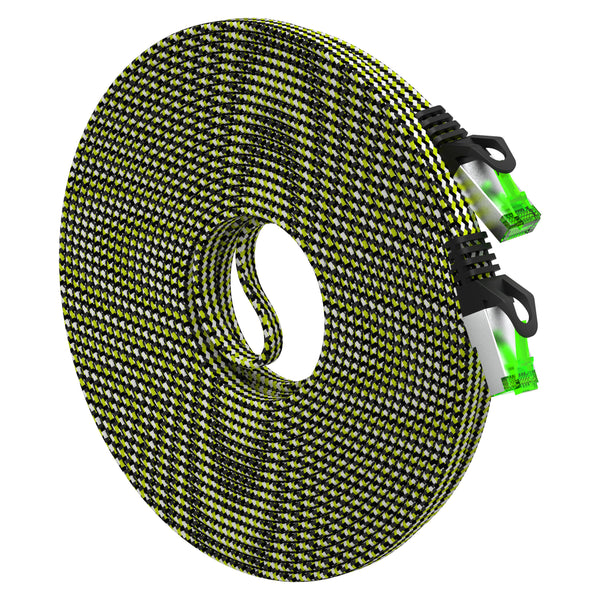
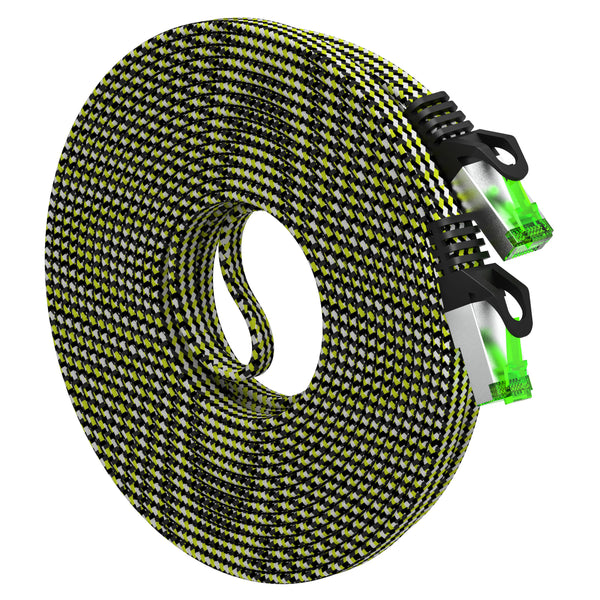
This is where flat Ethernet earns its keep. The slim profile reduces bumps under throw rugs and threshold transitions where a round cable would show. For high‑traffic paths, use a floor cord protector or route along the baseboard to reduce abrasion and trip risk. For a tidy, short run to a console or smart TV, a braided, shielded flat option like the Cat7 Flat Ethernet Cable (25 ft, nylon braided) keeps a low silhouette and resists scuffs. Need a bit more reach while staying flat? See the Cat7 Flat Ethernet Cable (33 ft, nylon braided).
Planning link speed before you pick a shape? Start with Cat6 vs Cat6a vs Cat8: Pick the Right Cable for 1G, 2.5G, 5G, and 10G to match category to bandwidth, then choose flat or round for the route.
Noise, shielding, and longer distances
Interference from power strips, dimmers, motors, or dense AV racks can add noise. While shielded flat cables exist, round designs typically provide more jacket volume for shielding layers, fillers, and strain members that help maintain twist geometry over distance. In garages, near amps, or in light industrial corners, a round (and where warranted, shielded) cable is a safer default. If you’re deciding between UTP and shielded at home, see Shielded vs Unshielded (S/FTP vs UTP): How to Reduce Interference at Home, and for harsher workspaces, see Industrial Ethernet Quick Start: Picking Cable for Noisy Environments.
PoE and power delivery
Power‑over‑Ethernet performance benefits from thicker conductors with lower resistance. Many flat cords use slimmer wire gauges for flexibility—fine for short device leads, but not ideal for higher‑power PoE at distance. For PoE across rooms or floors, a round 24AWG Cat6 patch is a practical default; reserve a short flat jumper where you need a low‑profile finish. For load, gauge, and distance planning for cameras and access points, see PoE and PoE+: Cable Gauge and Distance Planning for Cameras and APs.
Speed is about category, not shape
Flat vs round doesn’t set throughput. The category (Cat6, Cat6a, Cat7, Cat8) and build quality do. Choose the category for the bandwidth you need, then pick the cable shape for how you’ll route it. If you’re mapping a multi‑room plan, confirm channel length strategy in Patch Cable Length Limits and When You Need a Booster or Longer Run Strategy.
Apartment and small‑office tips (U.S.)
- Keep doors smooth: Under a swinging door, pair a thin flat patch with a threshold protector; don’t pinch at hinges.
- Baseboard routes: Test placement with painter’s tape before using clips; turn corners with gentle curves.
- Mix and match: Use a round backbone from modem/switch to the room, then finish with a short flat jumper where you need clearance.
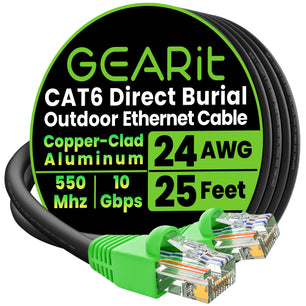
- Any outdoor segment? Use outdoor‑rated cable, not indoor flat cords. Start with Outdoor Ethernet: Direct‑Burial vs UV‑Resistant Jackets and Weather, Water, and Conduit: Best Practices for Outdoor Installs | GEARit.
Decision matrix: Flat vs Round at a glance
Match your priority to the cable shape.
| Priority | Flat Ethernet | Round Ethernet |
|---|---|---|
| Under‑carpet / thresholds | Excellent fit; very low profile. | Not ideal; creates a visible bump. |
| Bend radius & frequent re‑routing | Good for gentle bends; avoid sharp kinks. | Better for repeated moves and coiling. |
| EMI / noisy spaces | Fair to good (shielded options exist). | Often stronger due to geometry and shielding volume. |
| PoE at distance | Limited (often thinner conductors). | Stronger choice (24AWG common). |
| Durability under foot traffic | Good with protectors and short runs. | Better for long‑term abrasion and strain. |
| Discreet wall/baseboard routing | Excellent; hides easily. | Good; more visible profile. |
Practical GEARit picks (where each shape makes sense)
Low‑profile hops under a rug or across a doorway
A slim, braided, shielded flat patch minimizes bumps and resists scuffs for short, visible runs. Consider the Cat7 Flat Ethernet Cable (25 ft, nylon braided) for living‑room console or TV hookups where a discreet path matters. For slightly longer spans while staying low‑profile, use the Cat7 Flat Ethernet Cable (33 ft, nylon braided).
General home/office patching, PoE devices, and longer leads
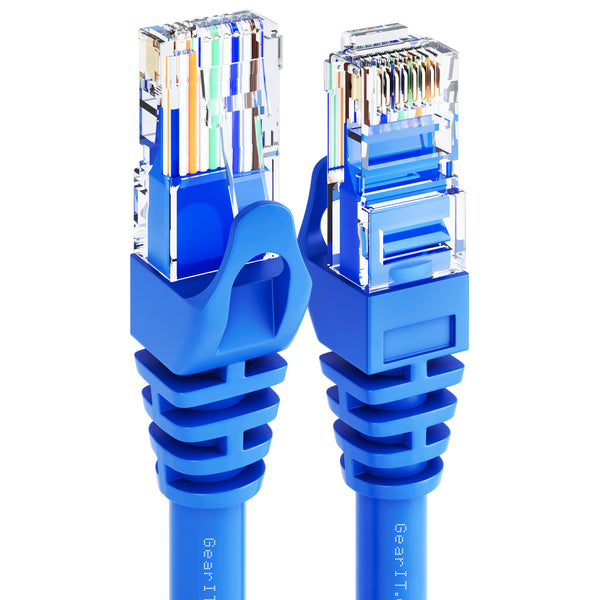
Round 24AWG Cat6 snagless patches balance flexibility, durability, and PoE friendliness for everyday use. Pick colors to match your labeling scheme—for example, a neutral backbone with Cat6 Snagless Patch Cable (24AWG, black), device leads in Cat6 Snagless Patch Cable (24AWG, blue), or visibility where you need it with Cat6 Snagless Patch Cable (24AWG, orange). For a clean desk drop, a light finish like Cat6 Snagless Patch Cable (24AWG, white) keeps things tidy. Color‑coding a patch panel? Add Cat6 Snagless Patch Cable (24AWG, yellow), Cat6 Snagless Patch Cable (24AWG, green), or Cat6 Snagless Patch Cable (24AWG, purple) for quick visual ID.
Troubleshooting and special cases
- Audio/Stage rigs: If you’re re‑patching often or want added connector strain relief, see EtherCON and Pro Audio Networking: When Ruggedized RJ45 Makes Sense.
- Bulk vs patch math: Running many drops? Compare time, tools, and cost in Bulk Cable vs Pre‑Made Patch: Termination Tools and Cost Worksheet.
- Run length planning: Keep total channel length sensible; if you’re extending, review Patch Cable Length Limits and When You Need a Booster or Longer Run Strategy.
- Having issues? Reroute away from power cords, try a short round shielded lead in noisy spots, or swap in a known‑good patch. The step‑by‑step checks in Troubleshooting Guide: Common Ethernet Failures and How to Test can help isolate the problem.
Frequently Asked Questions
Can a flat Ethernet cable handle gigabit or 10‑gigabit speeds?
Yes—speed depends on category and build quality, not shape. A spec‑compliant flat Cat6/Cat7 can run at its rated speed over the proper distance. For a quick category refresher, see Cat6 vs Cat6a vs Cat8.
Is it safe to run flat Ethernet under a rug?
Yes for short paths. Keep the route smooth, avoid tight bends at doorways, and use a floor cord protector in high‑traffic areas. For the last few feet to a console or TV, a braided flat patch helps with abrasion resistance.
What about PoE—should I avoid flat cables?
Not categorically. Use a round 24AWG patch for the long segment and reserve a short flat jumper at the end where clearance matters. For cameras and APs, confirm watts, gauge, and distance using PoE and PoE+: Cable Gauge and Distance Planning for Cameras and APs.
Do I need shielded cable for a home office?
Often no. In typical U.S. homes, UTP works well when routed away from power cords. If you’re near dimmers, motors, or dense AV gear, review Shielded vs Unshielded (S/FTP vs UTP) to decide.
Next steps
Start with the right category for your speed target, confirm your longest run and PoE load, then pick the shape that fits your route. If you’re building out a gaming corner, you may also like Gaming Over Ethernet: Low‑Latency Setup Without Overbuying. Planning a mixed indoor/outdoor path? Scan Outdoor Ethernet before you buy.