

Upgrading to multi‑gig (2.5G/5G) or jumping to 10G in the United States? The right Ethernet category keeps your link stable across the full run, avoids retransmits, and prevents overbuying. This guide compares Cat6, Cat6a, and Cat8 by speed, distance, environment, and PoE so you can choose confidently for a house, apartment, or small business.
Quick answers
- 1G (Gigabit): Cat6 is a reliable, budget‑friendly pick for channels up to 100 m (328 ft). For a refresher on channel math and patch lengths, see Patch Cable Length Limits and When You Need a Booster or Longer Run Strategy.
- 2.5G / 5G (Multi‑Gig): Cat6 commonly works on typical shorter channels; choose Cat6a for longer runs, dense bundles, or noisier spaces to add margin.
- 10G: Cat6 supports 10G only on shorter, clean channels (often around 55 m / ~180 ft). For consistent 10G to the full 100 m channel, use Cat6a.
- Cat8: Built for short, very high‑bandwidth links (up to ~30 m channel). Best for racks, labs, and studios—not whole‑home wiring.
What really changes between Cat6, Cat6a, and Cat8?
Each step up tightens construction and raises certified bandwidth (MHz), which affects how far you can sustain higher data rates. Cat6 is commonly rated to 250 MHz and shines for 1G (and often 2.5G/5G on common lengths). Cat6a doubles bandwidth to 500 MHz and carries 10G to 100 m. Cat8 jumps to very high bandwidth for short‑channel 25/40G applications—excellent inside racks, less practical for in‑wall residential runs.
Decision matrix: pick by speed, distance, and environment
Match your link to the right cable. Distances refer to end‑to‑end channel length (patch cords + in‑wall run).
| Category | Typical max speed at 100 m | 10G reach | Bandwidth | Best fit |
|---|---|---|---|---|
| Cat6 | 1G (2.5G/5G often OK on shorter runs) | ~55 m (~180 ft) in clean conditions | ~250 MHz | Affordable 1G and multi‑gig inside homes and small offices |
| Cat6a | 10G | Up to 100 m (328 ft) | ~500 MHz | Predictable 10G, denser bundles, or electrically noisy environments |
| Cat8 | 25G/40G (short channels) | Up to ~30 m (98 ft) channel | Very high MHz | Short rack/studio/lab patches needing headroom |
New to channel limits or extenders? See Patch Cable Length Limits and When You Need a Booster or Longer Run Strategy and the practical Troubleshooting Guide: Common Ethernet Failures and How to Test.
Choose by your port speed
1G Internet and LAN
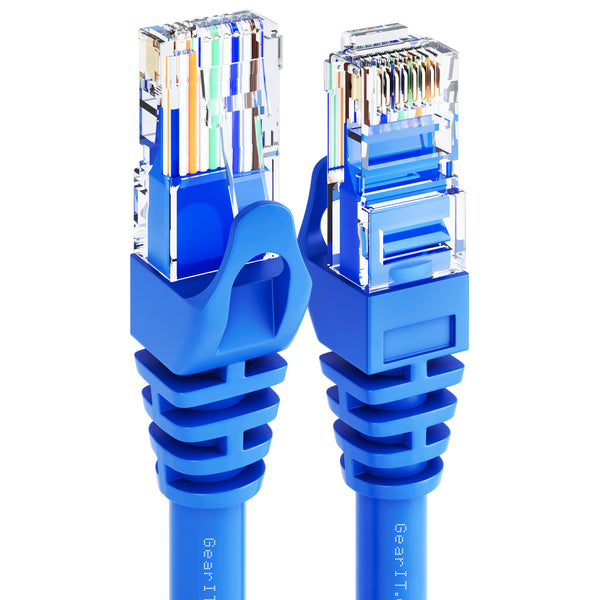
For most U.S. homes, 1G backbones and LANs are common. Cat6 is flexible, easy to route, and cost‑effective for room‑to‑room runs. For dependable device‑to‑router patching with solid conductivity and PoE margin, pick a pure‑copper snagless patch such as Cat6 pure‑copper snagless patch (blue). If you prefer a neutral finish for media cabinets, a comparable option is Cat6 snagless pure‑copper patch (black).
2.5G and 5G Multi‑Gig
Wi‑Fi 7 routers, gaming PCs, and prosumer switches increasingly ship with 2.5G/5G ports. Cat6 typically handles these speeds on common in‑home distances; step up to Cat6a if your channels approach 100 m, the bundle count is high, or paths parallel power lines. For interference basics at home, see Shielded vs Unshielded (S/FTP vs UTP): How to Reduce Interference at Home. Gamers can also check Gaming Over Ethernet: Low‑Latency Setup Without Overbuying.
10GBASE‑T
Deploying 10G to a workstation, NAS, or across floors? Cat6 can do 10G on shorter, clean channels, but Cat6a is the standard choice for predictable 10G to the full 100 m channel. If you must use longer patch leads at the ends, review patch cable length strategies.
Environment and installation: where each cable shines
Indoor patching and short runs
- Pick Cat6 for short device‑to‑switch runs at 1G–5G. It’s easy to route and budget‑friendly.
- Move to Cat6a for 10G at full channel length, heavy cable bundles, or areas with more interference sources.
Working within a tight budget for non‑critical devices or temporary labs? Copper‑clad aluminum (CCA) Cat6 patches can be economical—just avoid high‑power PoE on long runs. Options include the Cat6 CCA budget patch (white) or the Cat6 CCA two‑pack for quick multi‑device setups. If you prefer a single CCA patch in a darker finish, see Cat6 CCA patch (black).
Outdoor, garage, or outbuilding links
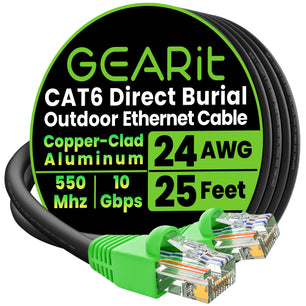
Moisture, UV, and electrical noise change the equation. For runs to soffits, sheds, cameras, or access points, use an outdoor‑rated jacket and, where appropriate, shielding. A purpose‑built option is the Cat6 outdoor direct‑burial cable with LLDPE jacket and foil shielding. If you only need a shorter outdoor patch between enclosures, a shielded patch like the Cat7 outdoor S/FTP patch adds durability in exposed spots. For planning, see Weather, Water, and Conduit: Best Practices for Outdoor Installs | GEARit and Outdoor Ethernet: Direct‑Burial vs UV‑Resistant Jackets and When to Use Each.
Racks, studios, and short, very high‑bandwidth links
Cat8 shines for short, high‑throughput connections in gear racks, edit bays, or test benches where 25G/40G headroom is useful and distances are short. If you’re building ruggedized stage or live‑sound networks, see EtherCON and Pro Audio Networking: When Ruggedized RJ45 Makes Sense.
Shielding, interference, and PoE
Unshielded twisted pair (UTP) is flexible and common for home use. In noisier environments—parallel to AC power, near motors, or in crowded trays—shielded constructions can help maintain higher speeds and reduce retransmits. For a homeowner‑friendly explainer, see Shielded vs Unshielded (S/FTP vs UTP): How to Reduce Interference at Home. For industrial‑leaning scenarios, see Industrial Ethernet Quick Start: Picking Cable for Noisy Environments.
Power over Ethernet (PoE) is sensitive to conductor resistance and heat. Prefer pure copper for longer PoE runs to cameras and access points, and size your gauge to the load and distance. For planning tables and examples, use PoE and PoE+: Cable Gauge and Distance Planning for Cameras and APs.
DIY tips and length planning
- Length limits: Most copper twisted‑pair channels top out at 100 m (328 ft); Cat6’s 10G reach is shorter. Start with length limits and booster strategies.
- All pre‑terminated: GEARit sells pre‑terminated Ethernet cables. If you’re comparing the economics of field termination in general, see Bulk Cable vs Pre‑Made Patch: Termination Tools and Cost Worksheet for context.
- Avoid common mistakes: Don’t run data parallel to power for long stretches, and respect bend radius. If strange slowdowns appear, see the Troubleshooting Guide: Common Ethernet Failures and How to Test.
- Flat runs under rugs: For tight routes, learn the trade‑offs in Flat vs Round Ethernet: Bend Radius, Under‑Carpet Runs, and Trade‑offs. For short, discreet drops where flat helps with concealment, a rugged alternative is the flat braided patch (25 ft).
Use‑case recommendations
- Gaming or low‑latency streaming on a short run: Cat6 patching is typically all you need for 1G–5G. For setup tips, see Gaming Over Ethernet: Low‑Latency Setup Without Overbuying. If you want an affordable spare for non‑PoE devices, the Cat6 CCA budget patch (white) is a wallet‑friendly pick.
- 10G workstation or NAS across the house: Choose Cat6a to keep 10G reliable to 100 m and reduce retransmits in denser bundles. If you’re still weighing DIY terminations, compare costs in Bulk Cable vs Pre‑Made Patch.
- Outdoor PoE camera to soffit or detached garage: Use outdoor‑rated Cat6 with shielding and water resistance; the direct‑burial Cat6 is built for this and pairs well with conduit where feasible.
- Short, ultra‑fast rack‑to‑rack or lab link: Consider Cat8 for compact, high‑throughput patches where you want 25G/40G headroom; confirm your NICs and switch ports actually benefit from Cat8 over existing SFP+/DAC options.
Frequently Asked Questions
Will Cat6 handle 2.5G or 5G for a typical home run?
Often, yes—especially on shorter, clean channels inside a house or apartment. If your run is long, bundled with many other cables, or near electrical noise, Cat6a adds helpful margin.
Can Cat6 do 10G?
Sometimes, on shorter channels (around 55 m in clean conditions). For predictable 10G to the full 100 m channel, pick Cat6a.
Do I need shielded cable at home?
Usually no. UTP is common and easier to route. If your path runs parallel to AC power, near motors, or in a crowded tray, consider shielded constructions. For a quick primer, see Shielded vs Unshielded (S/FTP vs UTP): How to Reduce Interference at Home.
Is Cat8 good for in‑wall whole‑home wiring?
No. Cat8 is optimized for short channels (up to ~30 m) and is overkill for most residential in‑wall runs. Cat6 or Cat6a better match U.S. home wiring distances and port speeds.
Next steps
If you’re wiring a room or two for 1G–5G, a pure‑copper Cat6 patch such as the blue or black snagless options above is a simple, dependable choice. For outdoor drops and cameras, use the outdoor‑rated Cat6 direct‑burial cable and review the outdoor best‑practices guides linked in this article. If you’re building studio or stage networks, explore the rugged connector options and shielding guidance in the related pro‑audio and industrial articles before you buy.